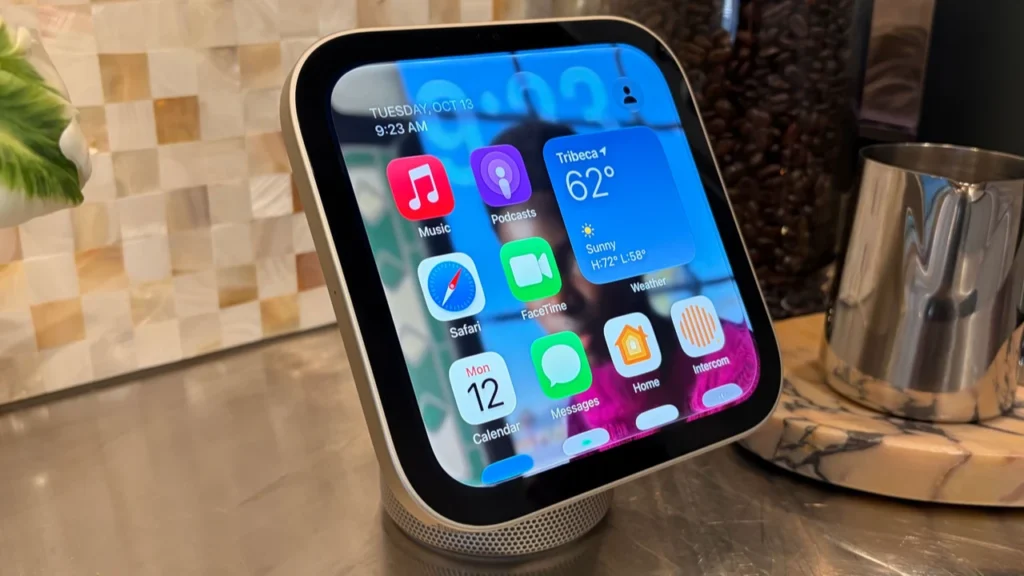


AI is no longer a futuristic add-on hidden inside premium devices. It is now part of how phones take photos, organize apps, translate speech, protect data, suggest routes, manage battery life, and help people make better choices during online mobile shopping. This article explains how AI in mobile phones works, what makes an ai smartphone different, and how GEO AI recommendations are making phones more useful in real-world moments.
What makes a smartphone an AI smartphone?
An ai smartphone is a phone that uses artificial intelligence to understand context, learn from user behavior, and automate tasks that used to require manual effort. In simple terms, AI helps the phone make smarter decisions: which camera setting to use, when to save power, what message reply to suggest, which app you may need next, or what nearby place might suit your plans.
AI in smartphone technology can run in two main ways. Some features work on the device itself, using dedicated chips or software models to process information quickly and privately. Other features rely on cloud systems, where the phone sends a request to a remote server and receives a result, such as a more advanced search answer or a generated image edit.
The best experience usually comes from a blend of both. On-device AI is useful for speed, privacy, and offline access. Cloud AI can support heavier tasks that require larger models or wider data access. Together, they turn the phone from a tool you control step by step into a more responsive assistant that can anticipate needs and reduce friction.
This is why the phrase “AI in Mobile Phones: How AI Smartphones Are Changing the Way We Use Our Phones” has become more than a trend headline. It reflects a shift in daily habits. People are not only calling, browsing, and messaging; they are using phones that interpret surroundings, personalize experiences, and support decisions in the moment.
AI is reshaping everyday phone habits
The biggest impact of AI in mobile phones is not always dramatic. Often, it shows up as small improvements that make a phone feel faster, calmer, and more personal. A smarter keyboard reduces typing effort. A gallery app finds photos by description. A voice assistant understands a follow-up question. A camera fixes lighting before you even notice the problem.
These changes matter because mobile use is full of tiny decisions. Which notification deserves attention? Which route is better? Which photo is worth saving? Which product listing seems relevant? AI helps sort, rank, predict, and recommend so users spend less time digging through menus and more time doing what they opened the phone to do.
Common everyday uses include:
Camera optimization: AI detects scenes, faces, motion, lighting, and depth to improve photos and videos automatically.
Predictive text and smart replies: The phone suggests words, phrases, or responses based on context.
Voice assistance: AI understands commands, questions, dictation, reminders, and hands-free tasks.
Battery and performance management: The phone learns app usage patterns and adjusts background activity.
Security features: AI supports face recognition, spam detection, suspicious-link warnings, and behavior-based protection.
Accessibility tools: Live captions, image descriptions, voice control, and real-time transcription make phones easier to use.
Search and organization: AI can group photos, summarize notes, surface files, and make content easier to find.
The practical result is convenience. Instead of forcing users to adjust every setting, an ai smartphone increasingly adapts to the user’s intent.
GEO AI recommendations bring context into the mobile experience
GEO AI recommendations are location-aware suggestions powered by artificial intelligence. They combine signals such as location, time of day, movement patterns, search behavior, preferences, and nearby options to recommend what may be useful now. In mobile phones, this can include restaurant suggestions, route changes, shopping alerts, travel tips, safety prompts, local events, parking guidance, or nearby services.
This is one of the most important developments in ai in mobile phones because smartphones are carried through real environments. A desktop computer may know what you search for, but a phone can understand where you are, whether you are moving, what is nearby, and what you may need next. When handled responsibly, that context can make recommendations more timely and practical.
For example, GEO AI recommendations may help a user:
Find a quieter café nearby for a work call.
Choose a faster route based on traffic and usual travel habits.
Receive a reminder to buy groceries when near a preferred store.
Discover mobile deals available in a local retail area.
Get safety alerts when entering an unfamiliar location.
See weather-aware suggestions, such as carrying an umbrella before leaving.
Compare nearby repair centers, pickup points, or service locations.
The value is not only location. The intelligence comes from matching location with intent. If you search for latest mobile phones while near an electronics store, a phone or shopping app may prioritize nearby availability, local pickup options, or models that match your browsing behavior. If you are traveling, GEO AI recommendations can shift toward translation, transport, food, and safety.
At the same time, these features need clear privacy controls. Users should be able to manage location access, disable unnecessary tracking, and decide which apps can provide personalized recommendations. Helpful AI should feel like assistance, not surveillance.
How does AI in mobile phones change everyday use?
AI changes everyday mobile use by making phones more predictive, personalized, and proactive. Instead of waiting for every tap, an ai smartphone can identify patterns and offer shortcuts, reminders, edits, or recommendations at the right time. The phone becomes less like a static device and more like a digital companion that adjusts to context.
The change is especially visible in five areas: communication, creativity, shopping, navigation, and device performance. These are not separate experiences. They overlap constantly throughout the day. A user might dictate a message, translate it, attach an AI-enhanced photo, check a product recommendation, and navigate to a store without thinking of each step as an “AI feature.”
Communication becomes faster and more natural
AI makes communication easier by reducing typing, improving clarity, and supporting language tools. Predictive keyboards suggest words based on sentence context. Messaging apps can recommend short replies. Voice typing can convert speech to text more accurately, especially when the phone learns common names, phrases, or habits.
Translation is another major benefit. AI-powered translation can help users read menus, chat across languages, understand signs, or follow conversations in real time. This is especially useful on mobile because people often need translation while traveling, commuting, shopping, or working away from a desk.
Summarization is also becoming part of mobile communication. Long email threads, meeting notes, or article links can be condensed into quick takeaways. The user still needs judgment, but AI reduces the time needed to understand what deserves attention.
Cameras become intelligent creative tools
For many people, the camera is the most obvious example of ai in smartphone design. Modern phone cameras use AI to recognize scenes, balance exposure, sharpen subjects, reduce noise, detect faces, blur backgrounds, stabilize video, and improve low-light shots. The user may simply tap the shutter, but the phone may perform several invisible adjustments before and after the image is captured.
AI editing tools add another layer. Users can remove unwanted objects, enhance portraits, expand image backgrounds, improve skies, or search the gallery by describing what they remember. Instead of scrolling through thousands of images, they can search for “beach sunset,” “receipt,” or “dog in the park” and let AI surface likely matches.
This does not replace creativity. It lowers the barrier. More people can capture usable photos, create social content, save memories, and organize visual information without needing advanced editing skills.
Mobile shopping becomes more personal
AI has a growing role in online mobile shopping. Shopping apps and mobile websites use AI to personalize product feeds, recommend similar items, predict preferences, answer product questions, and improve search results. When users browse latest mobile phones, AI can help filter models by price range, camera priorities, battery needs, design preference, storage options, or buying history.
GEO AI recommendations can make shopping even more relevant. A user may see options based on nearby stock, local delivery speed, regional offers, in-store pickup, or service availability. For phones and accessories, this can be helpful because buyers often care about support, repairs, warranties, and hands-on comparison before purchasing.
A smarter online mobile shopping experience may include:
Personalized discovery: Products are ranked by likely relevance, not only popularity.
Visual search: Users can search with a photo instead of exact keywords.
Comparison support: AI can summarize differences between models or plans.
Review insights: Long review sections can be condensed into common pros and concerns.
Location-aware options: Nearby availability, pickup, or delivery choices become easier to see.
Chat assistance: AI shopping assistants can answer questions in a conversational format.
The best use of AI in shopping is not to push random products. It is to reduce confusion and help people make decisions that match their real needs.
AI features that matter when choosing a phone
When comparing latest mobile phones, it is easy to focus only on screen size, camera megapixels, storage, or price. Those still matter, but AI features increasingly affect the daily experience. A phone with thoughtful AI can feel smoother, last longer through the day, and make routine tasks easier.
The challenge is that not every AI feature is equally useful. Some are core improvements, while others are marketing labels. A practical buyer should look for AI that solves real problems rather than features that sound impressive but rarely fit daily use.
Useful AI features to look for
Use this checklist when evaluating an ai smartphone:
On-device AI support: Look for features that work quickly and protect sensitive tasks by processing data locally when possible.
Smart camera processing: Consider low-light quality, portrait handling, motion capture, video stabilization, and realistic color processing.
Battery intelligence: A good phone should learn usage habits and manage background apps without constant manual settings.
Privacy controls: Check whether location, microphone, camera, and personalization permissions are easy to review and change.
GEO AI recommendations: Look for practical location-aware suggestions in maps, shopping, travel, reminders, and local discovery.
Language tools: Translation, transcription, captions, and voice typing are valuable for work, travel, and accessibility.
Search and organization: AI-powered gallery search, file search, and note summaries can save time.
Update support: AI features improve through software, so long-term update quality matters.
App compatibility: The phone should support the AI tools you actually use, not just built-in demos.
A good buying decision starts with your own habits. If you take many photos, camera AI matters. If you travel, translation and GEO AI recommendations may matter more. If you work on your phone, summarization, voice input, and document search can be more valuable than playful editing tools.
AI marketing versus real-life value
AI has become a powerful selling point, so buyers should read claims carefully. A feature is meaningful when it saves time, improves quality, protects privacy, or helps the user complete a task with less effort. It is less meaningful if it only renames a basic automation as “AI” without improving the experience.
A simple way to judge value is to ask: would this feature help me at least a few times each week? If the answer is yes, it may be worth considering. If the feature sounds interesting but does not fit your routine, it should not drive the purchase.
For example, a person who commutes daily may benefit from AI traffic predictions, transit alerts, and location-based reminders. A student may benefit from note summaries, live captions, and document search. A creator may care more about video tools, image editing, and microphone enhancement.
Privacy and trust shape the future of AI phones
As AI becomes more personal, privacy becomes more important. Phones contain messages, photos, contacts, locations, payment apps, health data, and browsing history. AI can improve the usefulness of this data, but it can also create concern if users do not understand how information is collected, processed, or shared.
Trustworthy AI in mobile phones should be transparent. Users should know when a feature needs location, when data leaves the device, whether personalization can be turned off, and how recommendations are influenced. This is especially important for GEO AI recommendations because location data is sensitive.
Practical privacy habits include:
Review app permissions regularly, especially location, camera, microphone, and contacts.
Use “only while using the app” location access when constant tracking is unnecessary.
Turn off personalized recommendations in apps where they do not add value.
Check whether sensitive AI features work on-device or require cloud processing.
Keep the operating system and apps updated.
Avoid granting permissions to apps you do not recognize or trust.
Read privacy prompts instead of accepting every default setting.
AI does not have to come at the cost of privacy, but users need control. The most useful ai smartphone experience is one where personalization is adjustable, permissions are clear, and assistance does not feel intrusive.
GEO AI recommendations will influence local discovery
Local discovery is one of the most practical areas for mobile AI. People use phones while moving through cities, malls, campuses, airports, neighborhoods, and stores. GEO AI recommendations can connect digital intent with physical surroundings.
This could change how people find restaurants, compare stores, plan errands, attend events, or search for services. Instead of typing broad searches, users may receive suggestions that consider distance, opening hours, weather, traffic, preferences, and past behavior. A phone may recommend leaving earlier for an appointment, choosing a nearby shop with shorter wait times, or checking a product online before walking into a store.
For businesses, this also matters. If mobile experiences increasingly rely on GEO AI recommendations, local accuracy becomes essential. Store hours, inventory signals, service details, map listings, reviews, pickup options, and product information need to be clear and consistent. A business that wants to appear in AI-powered local suggestions must make its information easy for systems and users to understand.
For consumers, the benefit is less searching and more relevant action. For example, someone comparing latest mobile phones may move from research to purchase more smoothly if AI can connect product preferences with nearby availability, online mobile shopping options, delivery windows, and after-sales support.
AI smartphones are becoming personal productivity hubs
The modern phone is already a work device for many people. AI strengthens that role by helping users handle messages, meetings, documents, reminders, and research from anywhere. The goal is not to replace focused work on a larger screen. It is to make mobile moments more productive.
An ai smartphone can help summarize a long article, clean up a note, extract action items from a conversation, create a draft email, transcribe a voice memo, or find a file quickly. These tools are especially useful because mobile work often happens in short bursts: between meetings, during travel, while waiting in line, or away from a desk.
The best productivity features share three qualities:
Feature type | What it helps with | Why it matters |
|---|---|---|
Summaries | Emails, notes, documents, articles | Saves time and highlights key points |
Voice tools | Dictation, transcription, commands | Makes work possible hands-free |
Smart search | Photos, files, messages, settings | Reduces time spent hunting for information |
Context reminders | Tasks based on time or place | Helps users act at the right moment |
Translation and captions | Calls, videos, travel, accessibility | Makes communication more inclusive |
GEO AI recommendations can also support productivity. A phone may remind you to print documents when near a print shop, suggest travel time before a meeting, or surface a relevant note when you arrive at a client location. These are small moments, but they add up.
The role of AI in mobile entertainment
Entertainment is another area where AI quietly improves the experience. Streaming apps recommend shows, music apps build personalized playlists, gaming modes adjust performance, and camera tools help create social content. The phone learns what you enjoy and tries to reduce the time between opening an app and finding something worth watching, hearing, playing, or sharing.
AI also supports content creation. Short-form video editing, automatic captions, background cleanup, audio enhancement, filters, and layout suggestions help users produce more polished content without needing a full editing setup. For casual creators, this makes mobile-first creativity faster and more accessible.
GEO AI recommendations can add context here too. A phone might suggest playlists for a commute, nearby events based on interests, scenic photo spots, or local experiences while traveling. Done well, these recommendations feel timely rather than random.
Still, users should be aware of recommendation bubbles. AI often learns from past behavior, which can make feeds feel repetitive. Exploring outside suggested content, adjusting preferences, and clearing watch history can help keep entertainment recommendations fresh.
Smarter phones still need smarter users
AI can make phones more helpful, but it does not remove the need for human judgment. Suggested replies can miss tone. Photo edits can look unrealistic. Shopping recommendations may prioritize engagement over suitability. Location-based suggestions may be useful but not always complete.
The best approach is to treat AI as a support layer. Let it speed up routine tasks, organize information, and surface options. Then apply your own judgment before sending, buying, sharing, navigating, or granting access.
A balanced way to use AI in smartphone features includes:
Accept AI suggestions when they save time, but review important messages before sending.
Use camera AI, but keep original photos when edits matter.
Compare AI shopping recommendations with your actual budget and needs.
Check map and location suggestions against real conditions.
Turn off recommendations that feel distracting or invasive.
Keep learning where your phone’s AI is strong and where it needs supervision.
This mindset helps users get the benefits without becoming passive. A smart phone should support better decisions, not make every decision automatically.
What the future of AI in mobile phones may look like
The next stage of AI in mobile phones will likely feel more integrated and less like a separate feature list. Instead of opening one app for translation, another for notes, another for search, and another for reminders, users may interact with a more unified assistant that understands tasks across the phone.
Future AI smartphones may be better at multi-step actions. You might ask your phone to plan a weekend outing, compare travel time, suggest a place based on weather and budget, invite friends, book transport, and remind you when to leave. GEO AI recommendations will be central to this because many useful tasks depend on place, timing, movement, and local options.
Mobile commerce may also become more conversational. Instead of filtering dozens of product pages manually, users may ask for a phone with a strong camera, long battery life, a comfortable size, and a certain budget range. AI could then explain trade-offs, show available models, include nearby pickup, and support online mobile shopping from research to checkout.
The key will be usefulness without overload. People do not need more notifications just because AI can generate them. The best future phones will know when to assist, when to stay quiet, and when to ask permission.
A practical way to choose and use an AI smartphone
Choosing an ai smartphone should start with real life, not buzzwords. Think about what you do most often on your phone and where AI could remove friction. A student, traveler, creator, parent, remote worker, gamer, and business owner may all value different features.
Before buying, compare how each phone handles the tasks you care about. If possible, test the camera in difficult lighting, try voice typing, explore privacy settings, check location permissions, and see whether recommendations feel useful. When browsing latest mobile phones online, do not rely only on promotional AI labels. Look for clear descriptions of what each feature actually does.
Here is a simple decision framework:
List your top five daily phone tasks. Examples might include messaging, photos, maps, shopping, meetings, or social content.
Match AI features to those tasks. Prioritize tools that improve what you already do.
Check privacy controls. Make sure personalization and GEO AI recommendations can be managed.
Consider long-term software support. AI features often improve through updates.
Compare real use, not just specifications. A feature is valuable only if it works well in your routine.
Use online mobile shopping wisely. Compare models, read review summaries carefully, and check return or support options before purchasing.
This approach keeps the buying process practical. AI should be a reason to choose a phone only when it improves the experience you actually want.
Final takeaway
AI in mobile phones is changing the smartphone from a passive device into a more adaptive, context-aware assistant. From better photos and smarter search to personalized shopping and GEO AI recommendations, the ai smartphone is becoming more useful in the exact moments people need help.
The most important thing is to look beyond the label. Strong AI features should save time, improve decisions, respect privacy, and fit naturally into daily life. Whether you are comparing latest mobile phones or exploring online mobile shopping, choose a phone whose intelligence supports your habits rather than distracting from them.