

Choosing between Android and iPhone is really about choosing the phone experience that fits your habits, budget, apps, devices, and comfort level. Both platforms are mature, powerful, and capable of handling work, entertainment, photos, messaging, and everyday browsing. This guide compares android vs iphone in a practical way so you can shop with confidence, whether you are upgrading in-store or doing online mobile shopping.
Which phone platform is better for your daily use?
The better platform is the one that matches how you actually use your phone every day. If you want a simple, consistent experience, long software support, smooth performance, and deep integration with Apple products, iPhone is usually the easier choice. If you want more device variety, flexible pricing, deeper customization, and more hardware options, Android is often the better fit.
The iphone vs android decision is not about one being universally “best.” A student, a mobile gamer, a small business owner, a photographer, and a parent buying a first phone may all value different things. The smartest approach is to compare the areas that affect your daily routine: price, design, apps, camera, battery, security, storage, ecosystem, and resale value.
Quick comparison at a glance
Use this overview as a starting point before diving into the details.
Category | iPhone | Android |
|---|---|---|
Ease of use | Very consistent and beginner-friendly | Varies by brand, but often flexible |
Price range | Usually premium-focused, with some older models at lower prices | Very wide range from budget to flagship |
Customization | Limited but polished | Strong customization options |
App experience | Highly consistent App Store experience | Broad app choice through Google Play and other options |
Software updates | Strong long-term update reputation | Depends on brand and model |
Hardware variety | Fewer models, simpler choice | Many brands, sizes, designs, and features |
Ecosystem | Excellent with Mac, iPad, Apple Watch, AirPods | Strong with Google services, Windows, and many smart devices |
Best for | Simplicity, Apple ecosystem, long-term polish | Choice, value, customization, hardware variety |
The iPhone experience is simple, polished, and consistent
Apple controls both the iPhone hardware and iOS software, which helps create a smooth and predictable user experience. Menus, settings, gestures, app behavior, and updates tend to feel consistent from one iPhone generation to the next. That makes iPhone especially appealing if you want your phone to “just work” without much setup.
The iPhone also makes sense if you already use other Apple products. AirDrop, iMessage, FaceTime, iCloud, Apple Watch pairing, AirPods switching, and continuity features across Mac and iPad can make everyday tasks feel seamless. For many users, that ecosystem is the strongest reason to stay with iPhone.
Another advantage is simplicity when buying. Apple offers fewer models than the Android market, so comparing options can feel less overwhelming. If you prefer a clear upgrade path and do not want to sort through dozens of latest mobile phones from multiple brands, iPhone may be easier to choose.
Android gives you more choice and control
Android is used by many phone brands, which means you can choose from a much wider selection of devices. You can find compact phones, big-screen phones, foldables, gaming-focused models, camera-heavy flagships, budget models, and mid-range phones with strong features. This variety is one of Android’s biggest strengths.
Android also offers more personalization. Depending on the phone, you can change launchers, widgets, default apps, icon layouts, notification behavior, file management, and more. If you enjoy making your phone feel truly yours, Android gives you more room to experiment.
That flexibility is especially useful when budget matters. Android phones exist across many price points, so you can often find a device that matches your needs without paying for features you do not care about. For shoppers comparing latest mobile phones, Android usually provides more options in every budget range.
iOS vs OS: what does the software difference mean?
When people search for “ios vs os,” they usually mean iOS vs Android OS. iOS is Apple’s mobile operating system for iPhone, while Android OS is Google’s mobile operating system used by many different manufacturers. The main difference is that iOS is tightly controlled and uniform, while Android is more open, flexible, and varied by brand.
That difference affects everything from updates to settings. iOS updates usually arrive directly from Apple and deliver a similar experience across supported iPhones. Android updates can depend on the phone maker, carrier, and model, although many major Android brands have improved their update promises and security support.
The software difference also changes how the phone feels. iOS is designed around consistency and simplicity. Android is designed around flexibility and choice. Neither approach is automatically better; it depends on whether you value a polished standard experience or more control over your device.
Camera quality depends on more than megapixels
Both iPhones and Android phones can take excellent photos and videos. iPhones are known for dependable image processing, strong video quality, natural-looking results, and consistent performance across camera modes. If you want a camera that produces reliable results without much adjustment, iPhone is a safe choice.
Android camera quality varies more because there are many manufacturers. Some Android flagships offer outstanding zoom, high-resolution sensors, advanced manual controls, bright displays for outdoor shooting, and creative camera modes. Budget Android phones may be more limited, so it is important to compare sample photos and reviews for the exact model you are considering.
When deciding, think about what you shoot most:
Everyday family photos: both platforms work well, but consistency matters.
Video recording: iPhone is often favored for simple, reliable video capture.
Zoom and specialty lenses: many Android flagships offer strong variety.
Manual controls: Android often gives enthusiasts more flexibility.
Social media posts: check how your favorite apps handle camera uploads on each model.
Battery life and charging vary by model
Battery life is not simply an Android vs iPhone issue. It depends on the specific phone, battery size, processor efficiency, display, software optimization, and how you use the device. A large Android phone may outlast a smaller iPhone, while a newer iPhone may beat an older Android model with a weaker chip or aging battery.
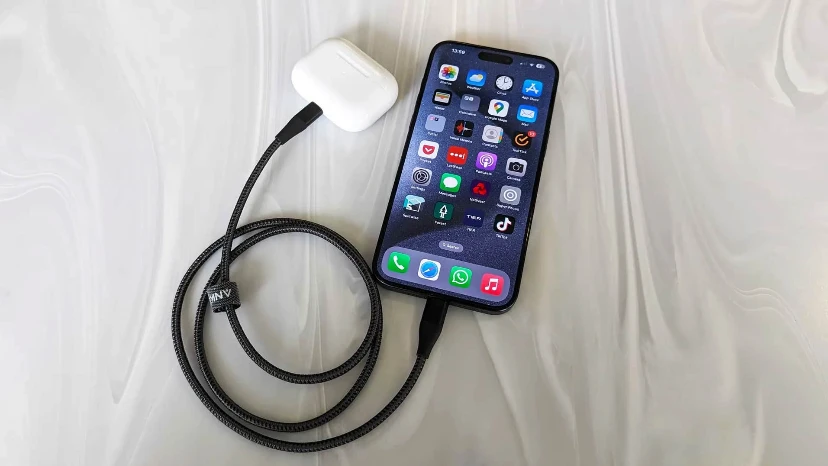
Charging is another area where Android often offers more variety. Some Android phones support very fast wired charging, larger batteries, or reverse wireless charging. iPhones focus more on a balanced charging experience, MagSafe accessory compatibility, and battery health management.
If battery life is your top priority, compare real-world battery tests for the exact models on your shortlist. Also consider your habits: streaming video, gaming, hotspot use, navigation, and high screen brightness can drain any phone quickly.
Apps, gaming, and everyday performance are strong on both
Most major apps are available on both iPhone and Android, including social media, banking, shopping, productivity, navigation, streaming, and messaging apps. For the average user, app availability is rarely a dealbreaker. The bigger difference is often app polish, device optimization, and how smoothly the phone handles demanding tasks over time.
For gaming, both platforms have powerful options. iPhones benefit from strong chip performance and consistent hardware targets for developers. Android offers more gaming-focused phones, high-refresh displays, cooling features, and customization options that may appeal to serious mobile gamers.
If you use specialized apps for work, health devices, smart home gear, or creative tools, check compatibility before buying. This is especially important during online mobile shopping, where it is easy to focus on hardware specs and forget the apps that matter most to your routine.
Security and privacy are handled differently
Apple emphasizes a tightly controlled app ecosystem, privacy prompts, and integrated security features. Because Apple controls iPhone hardware, iOS, and the App Store, the experience can feel more locked down. Many users like that because it reduces complexity and gives them clear privacy controls.
Android also includes strong security features, app permissions, malware scanning through Google Play Protect, and regular security updates on supported devices. However, the experience can vary by manufacturer, region, carrier, and whether apps are installed outside the official app store.
For most users, safe behavior matters on either platform. Keep your phone updated, use a strong passcode, enable biometric unlock, avoid suspicious links, review app permissions, and download apps from trusted sources. A secure phone is not just about the operating system; it is also about how you use it.
Price, value, and resale can change the decision
Price is one of the clearest differences in the iphone vs android debate. iPhones tend to sit in the premium category, although older models and refurbished options can lower the entry cost. Android offers everything from affordable basic phones to expensive foldables and high-end flagships.
Value depends on how long you plan to keep the phone. A higher upfront price may make sense if the device stays fast, receives updates, and holds resale value. A lower-cost Android may be better if you want essential features now and do not need a premium camera or flagship processor.
Before buying, compare the total cost, not just the sticker price:
Phone price: unlocked, carrier-financed, refurbished, or used.
Storage needs: whether you must pay more for extra built-in storage.
Accessories: case, charger, screen protector, earbuds, or smartwatch.
Repair costs: screen, battery, and back glass repairs can vary.
Resale value: important if you upgrade every two or three years.
Plan compatibility: confirm carrier bands, eSIM support, and network features.
Online mobile shopping tips before you buy
Online mobile shopping makes it easier to compare models, prices, reviews, and deals, but it also makes it easier to overlook details. Always confirm that the phone is compatible with your carrier and region. Check whether it is unlocked, renewed, refurbished, open-box, or new.
Read the storage, RAM, color, warranty, and return policy carefully. Two phones with similar names may have different specifications depending on market or model year. If a deal looks unusually cheap, look for missing warranty coverage, carrier locks, older chipsets, or seller limitations.
A practical buying checklist:
Confirm the exact model name and generation.
Check carrier compatibility before checkout.
Choose enough storage for photos, videos, and apps.
Compare battery life and camera reviews for that exact model.
Review the return window and warranty terms.
Make sure accessories and chargers meet your needs.
Avoid buying only because a phone is labeled “latest” or “flagship.”
Choose iPhone if these priorities sound familiar
An iPhone is likely better for you if you want a refined, predictable experience with minimal setup. It is also a strong choice if you already own a Mac, iPad, Apple Watch, or AirPods and want everything to work together smoothly.
You may prefer iPhone if:
You want a simple interface that is easy to learn.
You value long-term software support and consistent updates.
You use iMessage, FaceTime, AirDrop, or iCloud often.
You care about strong video performance.
You prefer fewer buying choices and a clearer upgrade path.
You plan to resell or trade in your phone later.
The tradeoff is that iPhone offers less customization and fewer low-cost new-device options. If you want complete control over your home screen, default apps, and hardware choices, iPhone may feel restrictive.
Choose Android if these priorities sound familiar
Android is likely better for you if you want more variety in design, pricing, and features. It is especially appealing if you like comparing specs, choosing between brands, or finding the best possible value for your budget.
You may prefer Android if:
You want more phone choices across price ranges.
You like customizing your interface and settings.
You want features such as foldable screens, advanced zoom, or very fast charging.
You rely heavily on Google services.
You want more options for budget and mid-range phones.
You prefer flexible file management and default app choices.
The tradeoff is that Android quality and update support vary by device. A great Android phone can be excellent, but you need to compare the exact model instead of assuming every Android phone performs the same way.
The best decision comes down to your ecosystem and budget
If you are still unsure, start with your current devices. If your laptop, tablet, watch, earbuds, family group, and cloud storage are already tied to Apple, iPhone will probably feel more convenient. If your life revolves around Google services, Windows computers, smart home devices, or budget flexibility, Android may fit more naturally.
Next, decide how much you want to spend and how long you plan to keep the phone. Then shortlist two or three models from each platform and compare them directly. The phrase “Android vs iPhone: Which Is Better for You?” has a personal answer: the better phone is the one that removes friction from your day, not the one with the loudest marketing.
Final takeaway
Android vs iPhone is not a battle with one permanent winner. iPhone is best for users who want simplicity, consistency, strong ecosystem features, and a polished long-term experience. Android is best for users who want variety, customization, broader pricing, and more hardware choices.
Before you buy, think about your budget, apps, camera needs, battery expectations, accessories, and the devices you already own. Whether you choose iOS or Android OS, the right phone should feel easy to use, reliable, and worth the money you spend.
FAQs
Is iPhone better than Android?
Not for everyone. iPhone is better if you want a simple, consistent experience and strong integration with Apple devices. Android is better if you want more choice, customization, and pricing flexibility.
Is Android cheaper than iPhone?
Android usually offers more low-cost and mid-range options. iPhones are often more premium-priced, although older, refurbished, or trade-in models can be more affordable.
Which is better for photography, Android or iPhone?
Both can be excellent. iPhones are known for consistent photos and video, while many Android flagships offer advanced zoom, manual controls, and varied camera hardware. Compare the specific models you are considering.
Should I switch from Android to iPhone?
Switch if you want a simpler interface, Apple ecosystem features, iMessage, FaceTime, or strong long-term consistency. Stay with Android if you value customization, flexible pricing, and broader hardware choice.
Should I switch from iPhone to Android?
Switch if you want more control, more phone designs, different price points, or features Apple does not currently offer in the model you own. Before switching, make sure your key apps, cloud storage, photos, and accessories will transfer smoothly.
What should I check before buying the latest mobile phones online?
Check the exact model, carrier compatibility, storage, warranty, return policy, seller reputation, and whether the phone is new, refurbished, locked, or unlocked. A careful comparison helps you avoid surprises after checkout.