
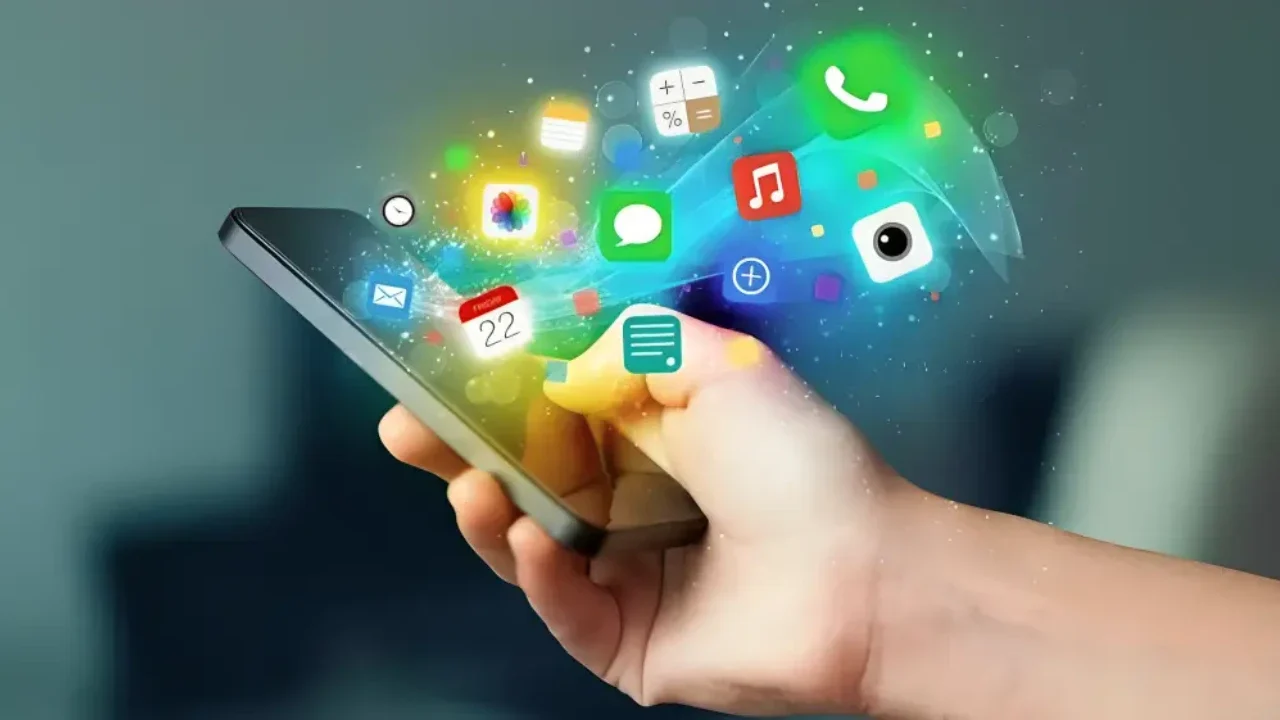
Mobile phones have become essential tools for modern living. They support everyday communication, provide quick access to information, make travel easier, enable learning anywhere, simplify shopping and banking, and help people manage work and personal tasks from one device. When used responsibly, the benefits of using mobile phones go far beyond convenience they can save time, improve coordination, increase safety, and expand access to services. In short, the benefits of mobile phones show up in small, practical ways throughout the day.
1) Easier communication and staying connected
One of the clearest mobile phones benefits is communication. Calls, text messages, video chats, and email make it easier to stay in touch with family, friends, coworkers, and services. This constant connectivity can be helpful in daily life checking in with loved ones, coordinating plans, or handling urgent matters quickly.
Mobile communication also supports:
Remote collaboration: Quick updates through messaging apps and email.
Long-distance relationships: Voice and video calls reduce distance barriers.
Accessibility: Features like voice-to-text, captions, and screen readers help more people communicate.
2) Fast access to information and everyday problem-solving
Another major advantage of using mobile phones is instant access to information. People use smartphones to look up definitions, check the news, compare products, verify business hours, find instructions, or research a topic in seconds. This ability to learn and solve small problems quickly makes daily tasks smoother whether you’re cooking, fixing something at home, or handling paperwork.
3) Organization, reminders, and time management
Mobile phones help people stay organized through calendars, alarms, reminders, notes, and to-do lists. For busy schedules, these tools reduce the chance of missed appointments, forgotten tasks, and overlapping commitments.
Common ways phones support daily planning include:
Setting reminders for appointments, bills, and deadlines.
Keeping shopping lists and quick notes in one place.
Using calendar alerts for meetings, school events, or travel time.
4) Navigation, travel support, and location-based convenience
Maps and GPS are among the strongest advantages of mobile phone use. People rely on smartphones for directions, real-time traffic updates, public transportation options, ride-hailing, and travel planning. This is especially helpful when visiting a new place or managing a busy commute.
Mobile phones can also support travel by storing tickets, reservations, itineraries, and important documents in one place. Translation apps and currency converters further improve travel convenience for international trips.
5) Learning opportunities and skill development anywhere
The advantages of using mobile phones for education are significant. Smartphones provide access to online courses, educational videos, digital libraries, language-learning tools, and research resources. Whether someone is a student, a professional, or a lifelong learner, mobile access makes it easier to learn during short breaks, commutes, or evenings at home.
Mobile learning is also helpful for:
Practicing skills regularly with quick lessons.
Accessing tutorials for software, crafts, fitness, and more.
Connecting with communities and study groups.
6) Health, wellness, and habit tracking
Many people use phones for health and wellness support. Fitness apps can log workouts and steps, sleep tools can encourage better routines, and reminder features can help people stay consistent with habits like hydration or medication schedules. While apps do not replace medical professionals, they can make it easier to monitor routines and stay aware of patterns.
7) Entertainment and relaxation on demand
Entertainment is a major reason smartphones are widely used. Music, podcasts, games, ebooks, social platforms, and streaming services can turn idle time into enjoyable downtime. This is one of the most visible benefits of mobile phones in everyday life especially during commutes, travel, or breaks.
To keep entertainment healthy and balanced, many devices include screen-time tools and notification settings so users can reduce distractions and limit excessive use.
8) Shopping, banking, and digital payments
Smartphones have changed how people manage money and make purchases. The benefits of using mobile phones include the ability to compare prices, read reviews, track deliveries, store loyalty cards, pay bills, and manage bank accounts on the go.
With online mobile shopping, users can quickly check product availability, compare sellers, and purchase from almost anywhere. People browsing the latest mobile phones can also use mobile tools to compare features such as battery life, camera quality, storage, durability, and update support.
Mobile payments can also make in-person purchases faster through digital wallets. For safety, it’s important to use strong device security (PIN/biometrics), keep software updated, and review app permissions regularly.
9) Productivity for work, school, and personal projects
Mobile phones can function as portable productivity devices. They support email, document viewing/editing, cloud storage, scanners, collaboration tools, and communication platforms. This helps people stay responsive and manage tasks when they are away from a computer.
Practical productivity advantages of using mobile phones include:
Capturing photos/scans of documents when needed.
Sharing files quickly through cloud services.
Managing schedules, meetings, and tasks in one place.
10) Safety features and emergency support
Mobile phones can support safety in everyday life. People use them to call emergency services, share location with trusted contacts, receive severe weather alerts, and access roadside assistance. Many devices also offer features like emergency contacts and medical ID details that can be accessed quickly when needed.
To understand how public alerts work on phones in the United States, see the FCC’s guide to Wireless Emergency Alerts (WEA).
11) Better access to services and opportunities
Smartphones help people access essential services more easily, including job applications, government services, telehealth portals, school communication, and customer support. For many users, a phone is the primary way to access the internet, making it a key tool for participation in digital life.
For broader context on how people use mobile devices, you can reference Pew Research’s Mobile Fact Sheet.
12) Privacy and responsible use
The benefits of mobile phones are strongest when users manage privacy, security, and attention wisely. Since phones often contain personal photos, messages, payment options, and accounts, it’s important to build good habits.
Helpful practices include:
Use a strong lock screen (PIN/password/biometrics) and enable two-factor authentication for important accounts.
Install updates promptly to reduce security risks.
Limit app permissions (especially location, microphone, and contacts) to what is necessary.
Review notification settings to reduce interruptions and support focus.
Back up important data to a secure service.
Conclusion: Why mobile phones matter in daily life
So, what are the benefits of mobile phones in everyday life? They help people communicate faster, stay organized, navigate confidently, learn new skills, shop and bank conveniently, and manage tasks from almost anywhere. These benefits of mobile phones are also the advantages of using mobile phones day to day: they reduce friction in routine tasks and improve access to information and services. For many people, the advantages of using mobile show up in everyday moments sending an urgent message, finding a location quickly, or paying a bill on time. Used thoughtfully, the advantages of mobile phone use can improve efficiency, connection, and access to services making daily life easier and more flexible.
FAQs
What are the main mobile phones benefits in everyday life?
The main mobile phones benefits include convenient communication, quick access to information, GPS navigation, tools for organization, learning resources, entertainment, and easier shopping, banking, and payments.
What are the advantages of using mobile phones for students?
The advantages of using mobile phones for students include access to learning apps, online courses, research tools, communication with teachers/classmates, and calendar/reminder features to manage deadlines.
What are the benefits of using mobile phones for work?
For work, the benefits of using mobile phones include staying reachable, managing email and calendars, joining meetings, sharing files, scanning documents, and handling tasks while away from a computer.
Is online mobile shopping safe?
Online mobile shopping can be safe when users shop on trusted sites/apps, use secure payment methods, avoid suspicious links, keep their phone updated, and use strong account security (including two-factor authentication).
How can I choose among the latest mobile phones?
When comparing the latest mobile phones, focus on daily needs such as battery life, performance, camera quality, durability, storage, accessibility features, network compatibility, and how long the brand supports updates.
What are the disadvantages of mobile phones I should be aware of?
Common disadvantages include distraction, eye strain, sleep disruption, privacy/security risks, and overspending through apps. Managing screen time, notifications, and privacy settings can reduce these issues.